← All apps
Morph
Drop in video, audio, images, PDFs or whole folders, pick a format, press Convert. Everything runs on your Mac — nothing is uploaded anywhere.
Drop in video, audio, images, PDFs or whole folders, pick a format, press Convert. Everything runs on your Mac — nothing is uploaded anywhere.
Inside Morph
Captured from the current development build—not a concept render.
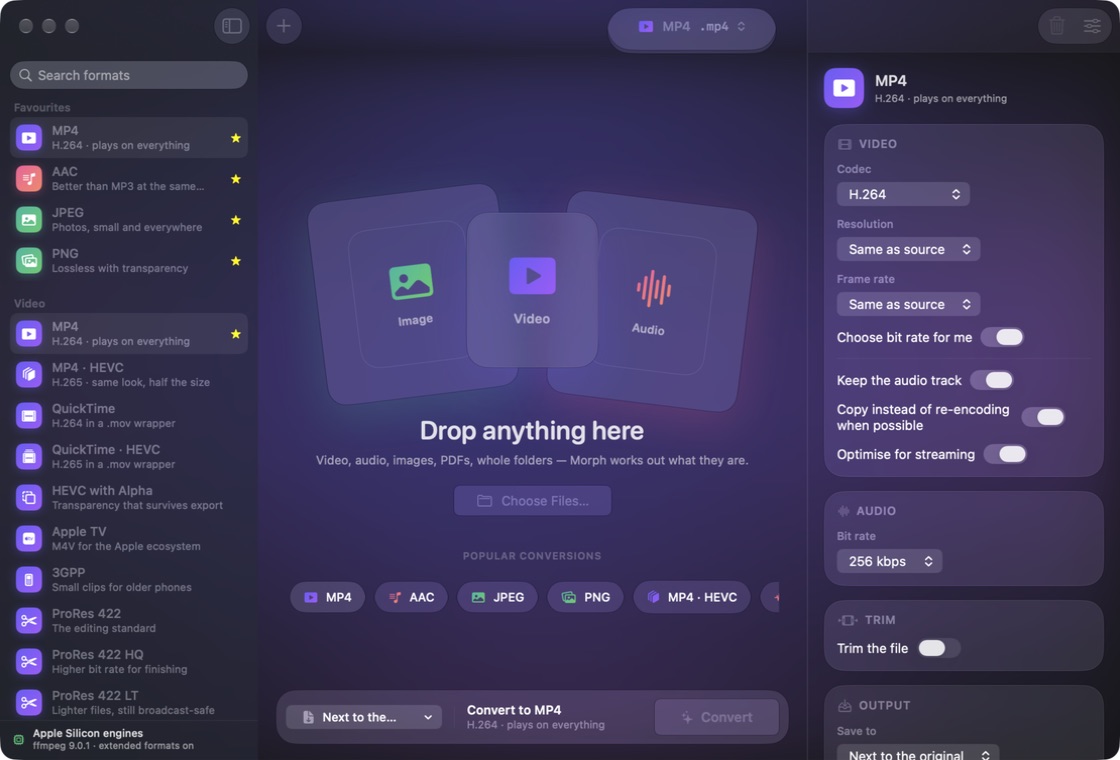
Drag it in
Files, folders, or a whole tree dropped at once. Morph reads more than sixty input formats, including camera RAW from Canon, Nikon, Sony, Fujifilm, Olympus, Panasonic and Leica — so the photos straight off the card are already usable.
Interface preview · the drop queue
Honest catalogue
The format list is built by asking the running system what it can encode, not by reading a table. Sixty formats are native and hardware accelerated; nineteen genuinely need ffmpeg, because macOS ships decoders for them and no encoders. Those are marked in the interface, never quietly missing.
Interface preview · the format picker
More than conversion
Merge PDFs, turn a PDF into images or text, build a PDF from images, extract the audio from a video, trim and join clips, replace a colour, run text to speech, or build an ISO or DMG disc image.
Interface preview · the tools pane
Using Morph
A practical walkthrough of the core workflow.
Under the hood
Morph asks the running system which codecs it can actually encode, rather than trusting what media containers advertise. That is why sixty formats are native and hardware accelerated on Apple Silicon — and why a handful cannot be: macOS ships no MP3, Vorbis, AC-3, MP2 or AMR encoder, only decoders.
WebM, Matroska, AVI, WMV, Ogg and WebP need ffmpeg installed separately (brew install ffmpeg). Morph finds it automatically and marks those formats until it does.
Feature requests and bug reports are genuinely welcome — most of what these apps do came from someone pointing out that the alternative was annoying.