← All apps

Isle
A Dynamic Island for the MacBook Pro notch. Invisible at rest; it grows out of the hardware cutout when something is happening, and opens into a full panel when the pointer arrives.
A Dynamic Island for the MacBook Pro notch. Invisible at rest; it grows out of the hardware cutout when something is happening, and opens into a full panel when the pointer arrives.
Inside Isle
Captured from the current development build—not a concept render.
Media
Artwork on one side, a live visualiser on the other — the recognisable Island shape. Everything else grows downward onto a strip beneath the notch instead, because icons either side of the camera housing read as awkward rather than native.
Interface preview · media, flanking the cutout
Volume and brightness
The island grows a little and emits a progress bar beneath the notch, replacing the system overlay that lands over whatever you were looking at.
Interface preview · the volume strip
Power and devices
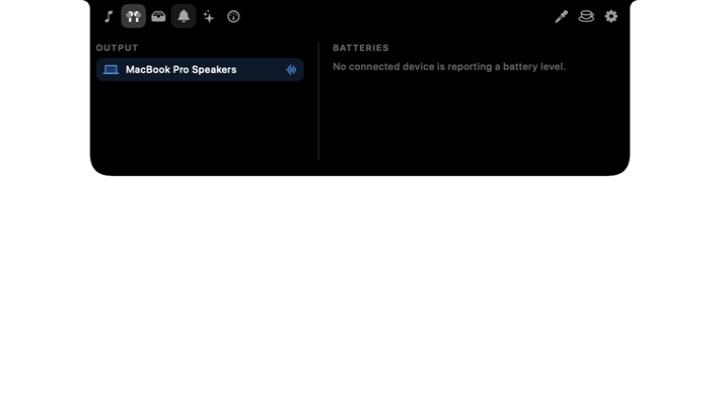
While plugged in the island holds a steady bar with the charge level and the wattage the battery is actually accepting. Connected mice, keyboards and earbuds report their own levels, and audio output switches with one tap.
Interface preview · the devices tab
Using Isle
A practical walkthrough of the core workflow.
Under the hood
Pure black, no rim, no border, no shadow, no colour tone — anything that reads as a window floating near the notch breaks the effect. The window is allocated once and never resizes; expanding is a layout change inside a fixed frame, because animating the window itself makes chrome and content interpolate on separate clocks.
Feature requests and bug reports are genuinely welcome — most of what these apps do came from someone pointing out that the alternative was annoying.